Intel Unison shut down in June 2025
You bought a Windows PC. You didn't mean to give up your iPhone.
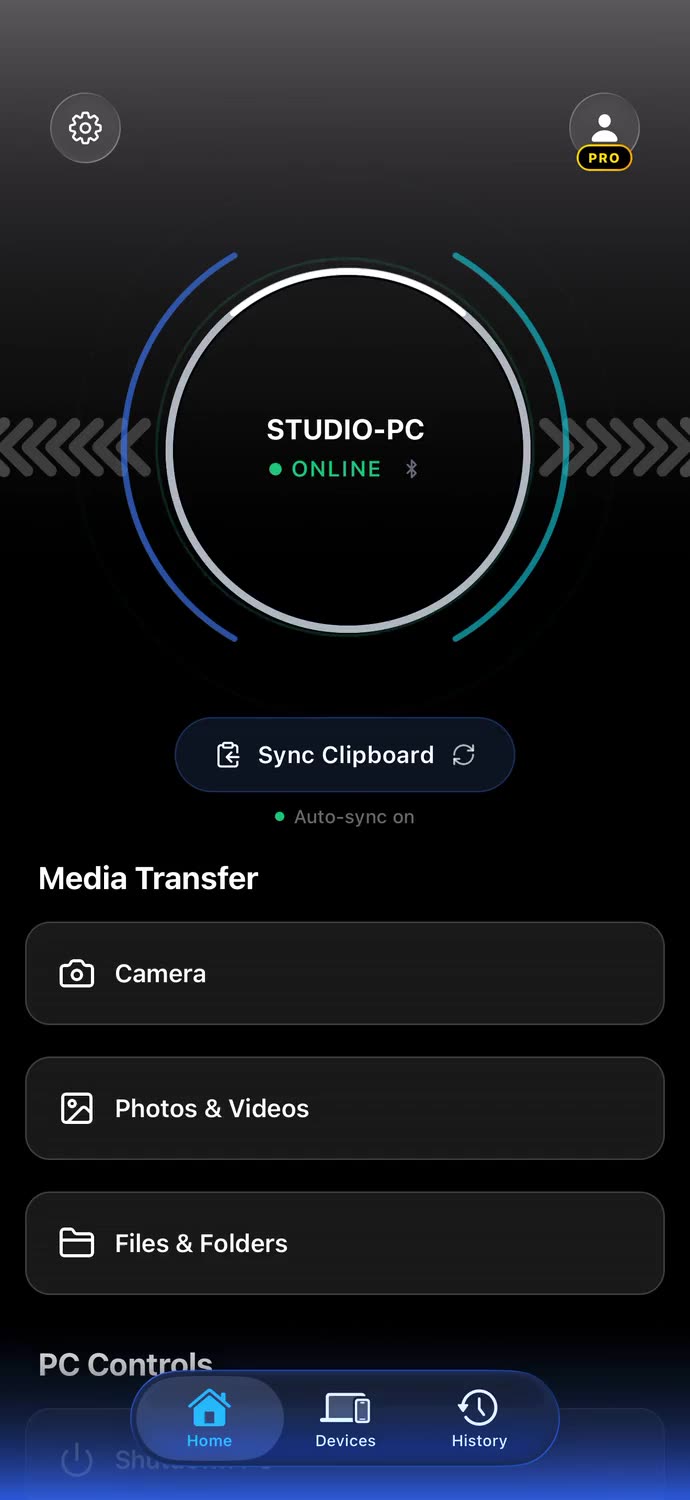
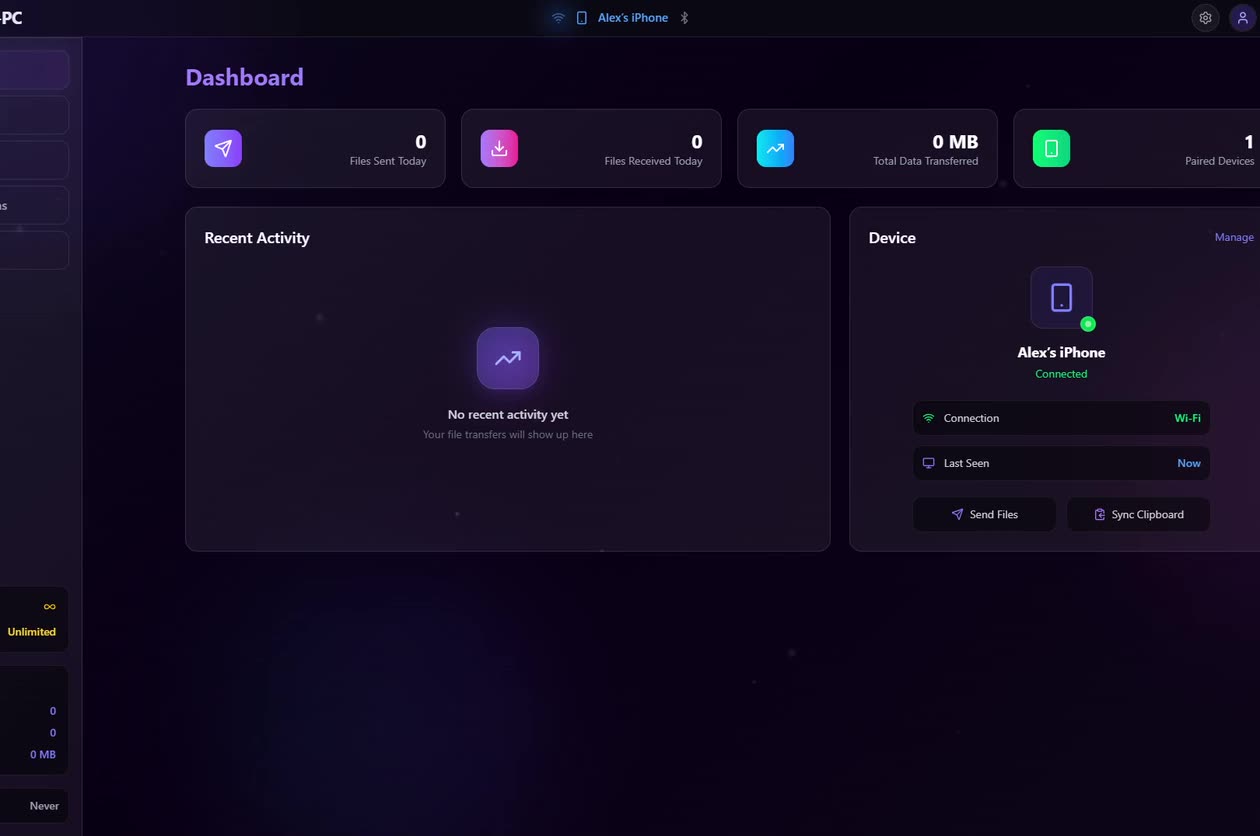
Clipboard, files, your screen, notifications, and control - BridgeSync connects your iPhone to your Windows PC over your own network. Your files never touch the cloud.
End-to-end encrypted files, clipboard, and controls. Your files move straight between your two devices - no cloud, no relay.
The problem
You email yourself files. You open a chat with yourself just to move a link. You pay iCloud rent so a web page can show you your own photos. You get up and walk to the desk to pause the music.
None of it feels like a problem. It feels like Tuesday. That is exactly why it never got fixed properly - and the tool that came closest, Intel Unison, was discontinued in 2025.
The film
BridgeSync in sixteen seconds.
iPhone. Windows PC. One device. File Transfer. Full speed, both ways. Notification Mirroring. Even when it's closed. Screen Mirroring. Your screen, your monitor. Shared Clipboard. Copy here, paste there. PC Remote Control. From your iPhone. End-to-end encrypted. Your files, clipboard and controls. BridgeSync. The next generation of companion apps.
Feature tour
01
Copy on one, paste on the other
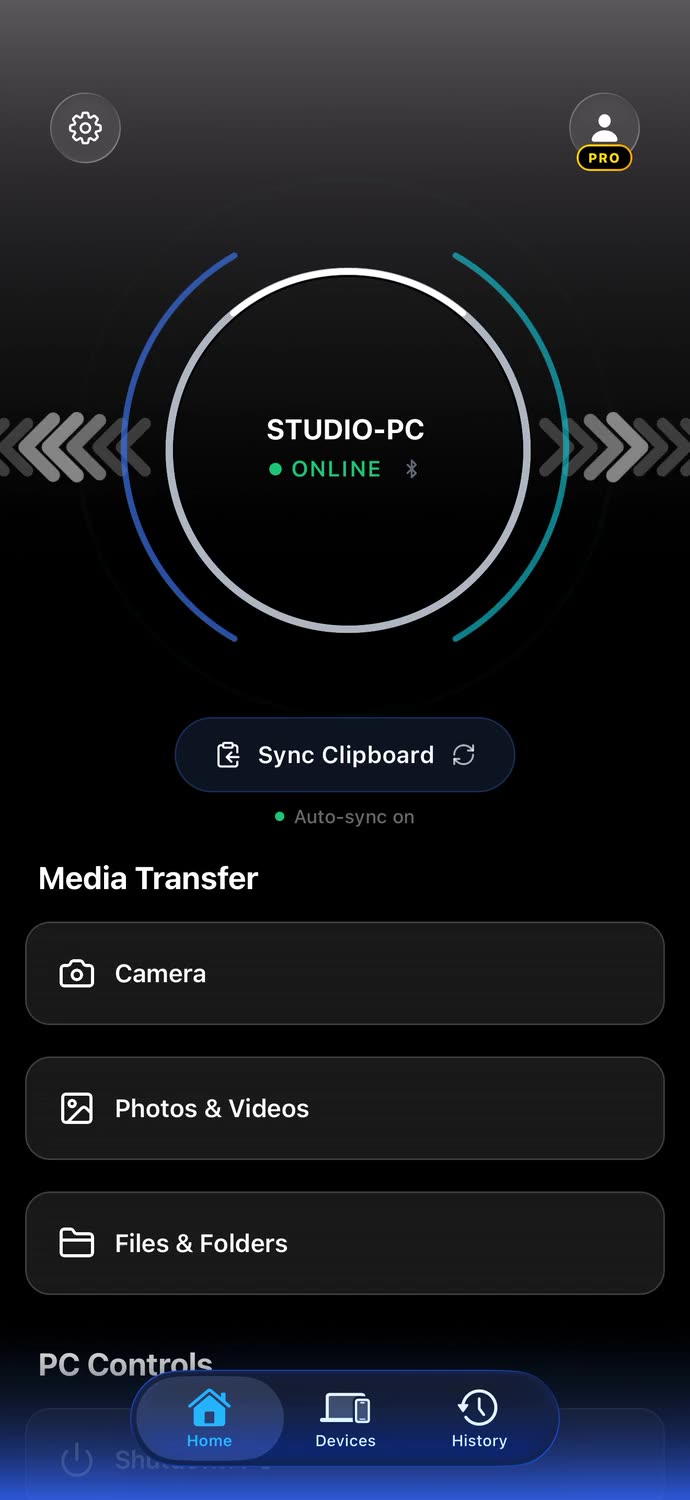
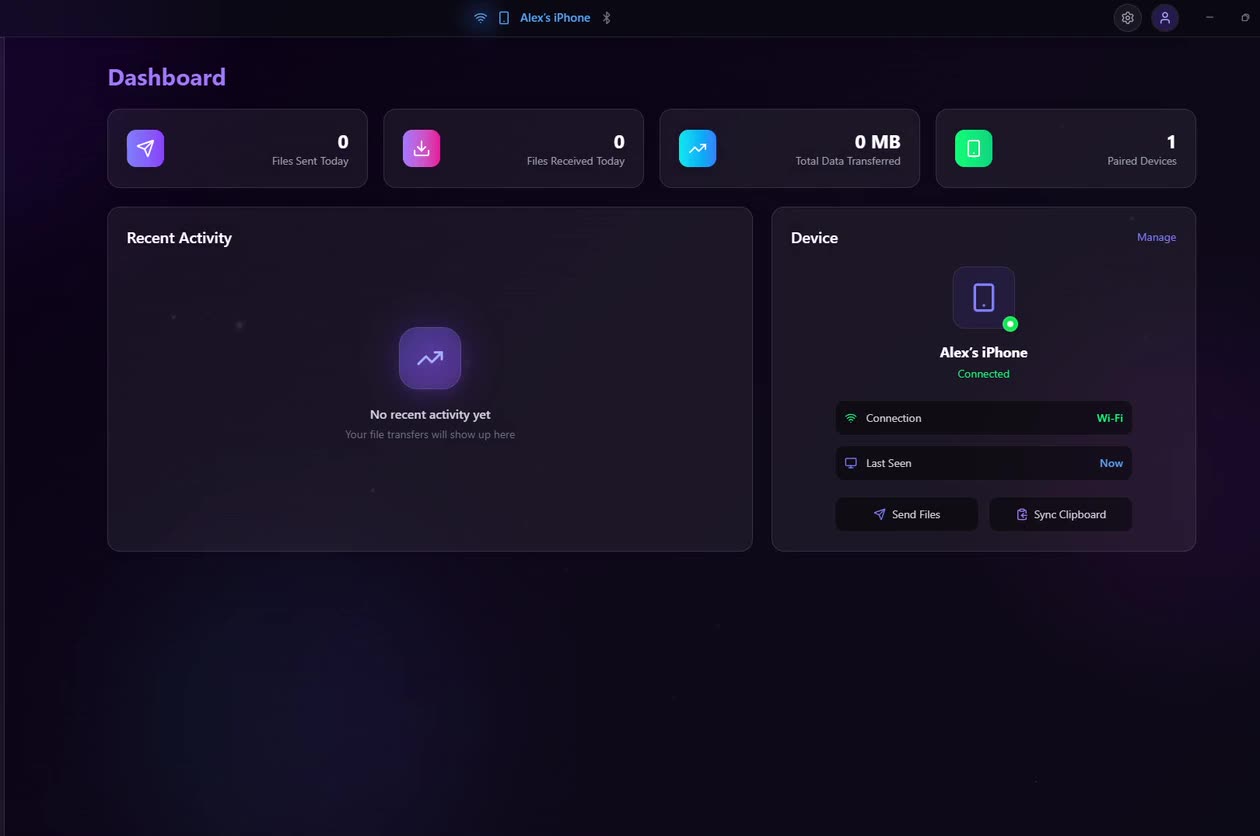
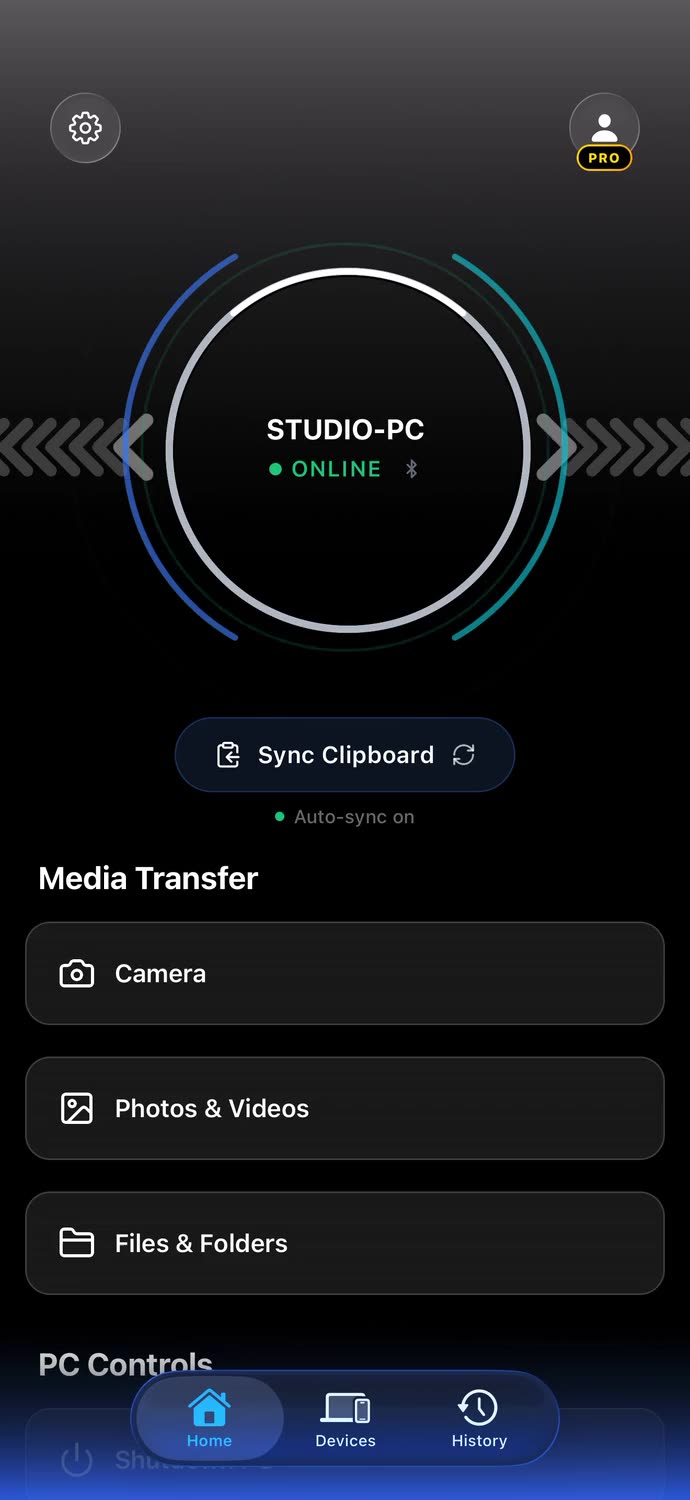
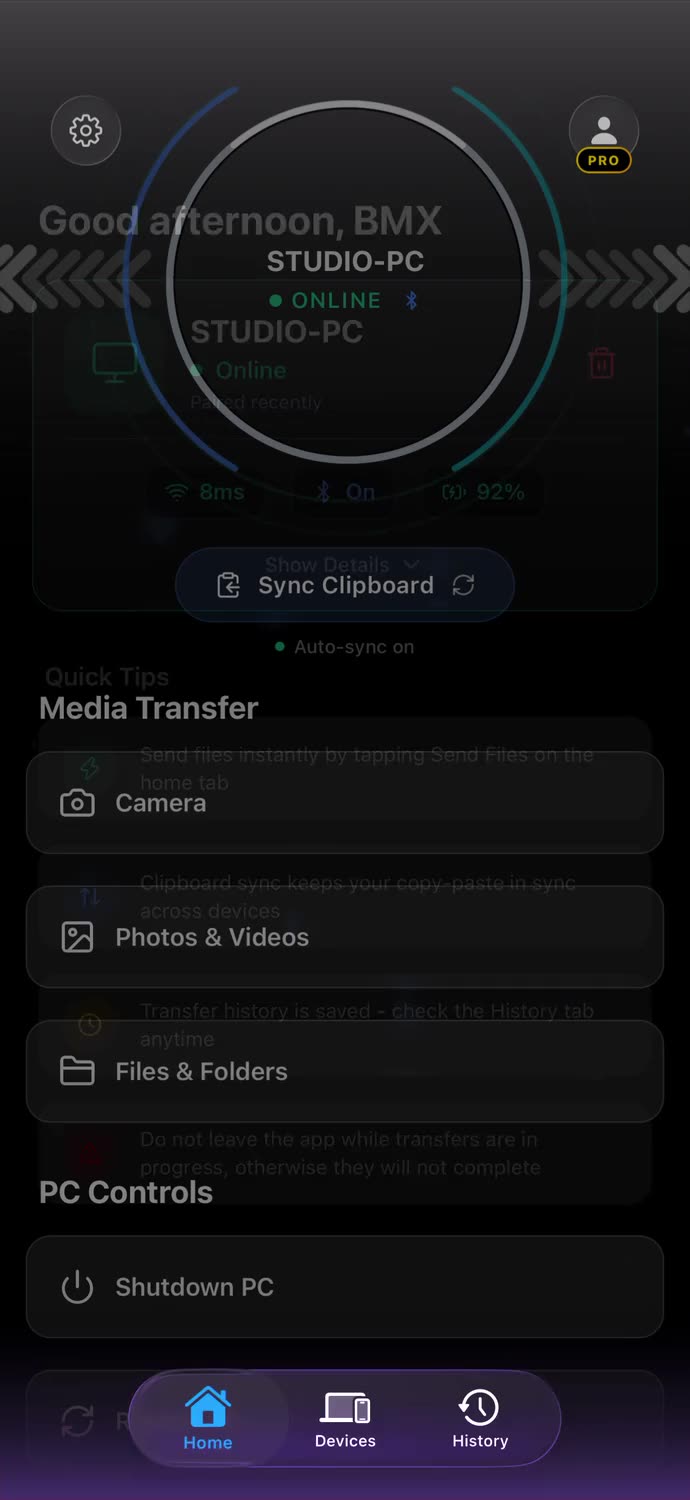
Copy on your iPhone and paste on your PC, or the other way around. Text, formatted text, and images come through both ways, and code keeps its spacing and line breaks. No more mailing yourself a link just to open it on the other screen.

Security
Your data stays between your devices.
End-to-end encryption
Files, clipboard, and remote controls are encrypted on the device that sends them and only decrypted on the one that receives them, and even the check that keeps the two connected is sealed. The keys stay on your devices and never leave them.
Straight across your network
Transfers move directly between your two devices over your local network or your iPhone's hotspot. Your files are never uploaded, relayed, or stored on a server, so they barely touch your data plan: nothing goes through your carrier, it just moves between your own devices.
Only your devices, by design
Sign in on both devices, put them on the same network, and pick your PC from the list in the app to pair. Only devices on your account can find each other or exchange anything.
Timeline
Building it, one milestone at a time.
Jun 2025
A hackathon, then Unison
School let out and I entered the World's Largest Hackathon presented by Bolt, a month-long online hackathon running from May 30 to June 30, 2025, with over $1 million in prizes. Every entry had to be built with Bolt.new, an AI app builder that writes the code from what you describe. Then I stared at a blank screen with no idea what to build. One night I opened Intel Unison, the app I used every single day to tie my iPhone to my Windows PC, and there it was: a notice that it was shutting down at the end of the month. That was the moment it hit me. Build the thing that replaces it.
Summer 2025
Two halves that never met
Unison went dark at the end of June, and the gap it left was mine to fill. But what I had by the hackathon deadline was two apps that Bolt's AI had generated for me, one for the phone and one for the PC, that did not even know the other existed, and it showed. I never submitted. So I threw both away and started over with a completely new project, this time building it properly and working through the technical challenges instead of trying to patch two generated apps together.
September 2025
The real project begins
I opened a completely new project and started building BridgeSync properly. No more half-working prototypes. I built the first screens, the basic structure, and started working on the connection between an iPhone and a Windows PC.
January 2026
They finally see each other
The iPhone could finally find the PC on the same network and keep a connection to it. That was the point where the two separate apps started becoming one.
January 2026
The first file moves
The first files finally moved between the iPhone and PC over the local network. It was basic, but it worked. From there, I had something real to build on.
February 2026
The PC starts listening
Once file transfers were working, I moved on to controlling the PC from the iPhone. Lock, sleep, restart, shutdown, volume and media controls came together one by one. Controlling a PC while it was locked was another problem I had to figure out, but eventually that worked too.
March 2026
Rebuilding the desktop side
By this point I had spent weeks focused mostly on the iPhone app, and the desktop app had fallen behind. I went back to it, rebuilt a lot of the interface and brought it up to the same standard. After that came clipboard syncing.
March 2026
Clipboard, the hard way
Clipboard sync started out extremely basic and unreliable. At first it could only move plain text between the two devices. Images did not work, and neither did code or formatted text. I kept improving it until it could handle the things I actually wanted to copy between an iPhone and a PC.
June 2026
Notifications become the next wall
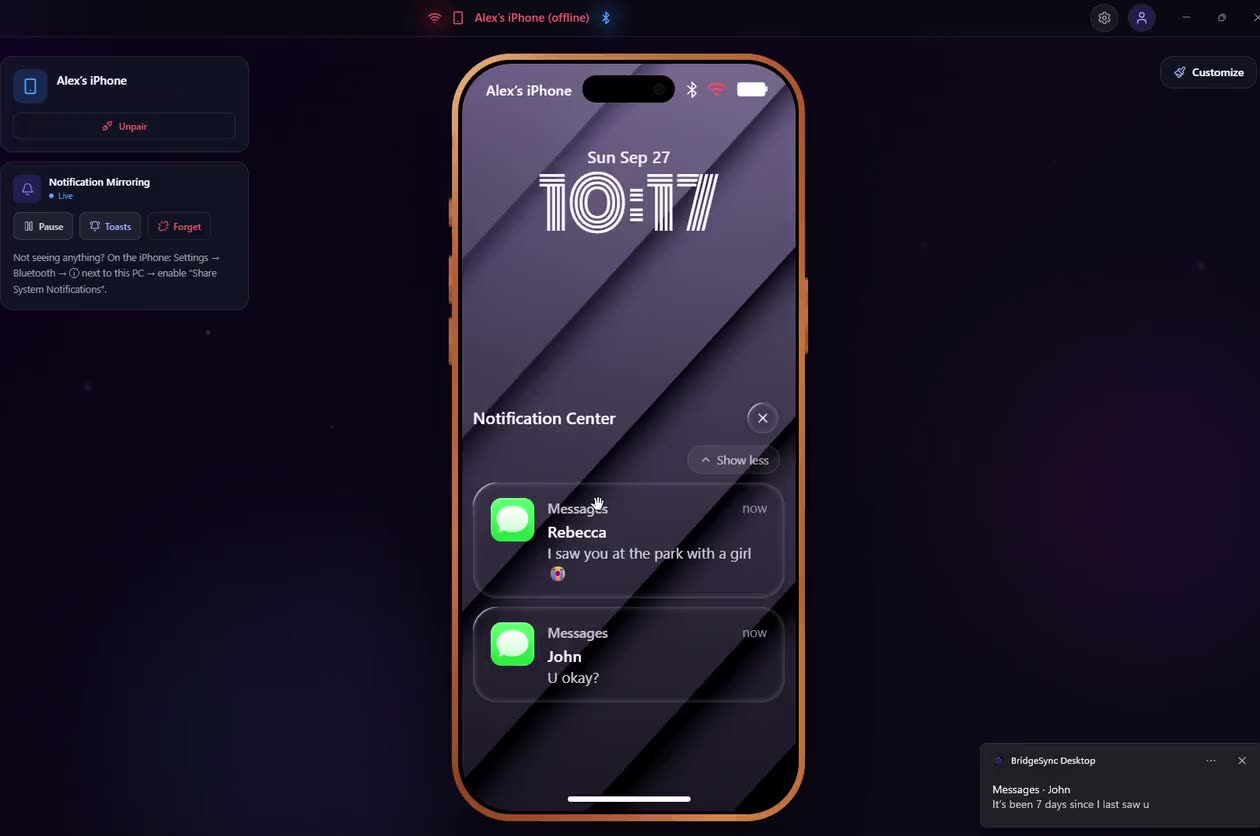
Notification mirroring was one of the biggest problems I had to solve. It took months of research, countless attempts and a lot of very late nights before I finally got it working reliably.
June 2026
A phone that had to change
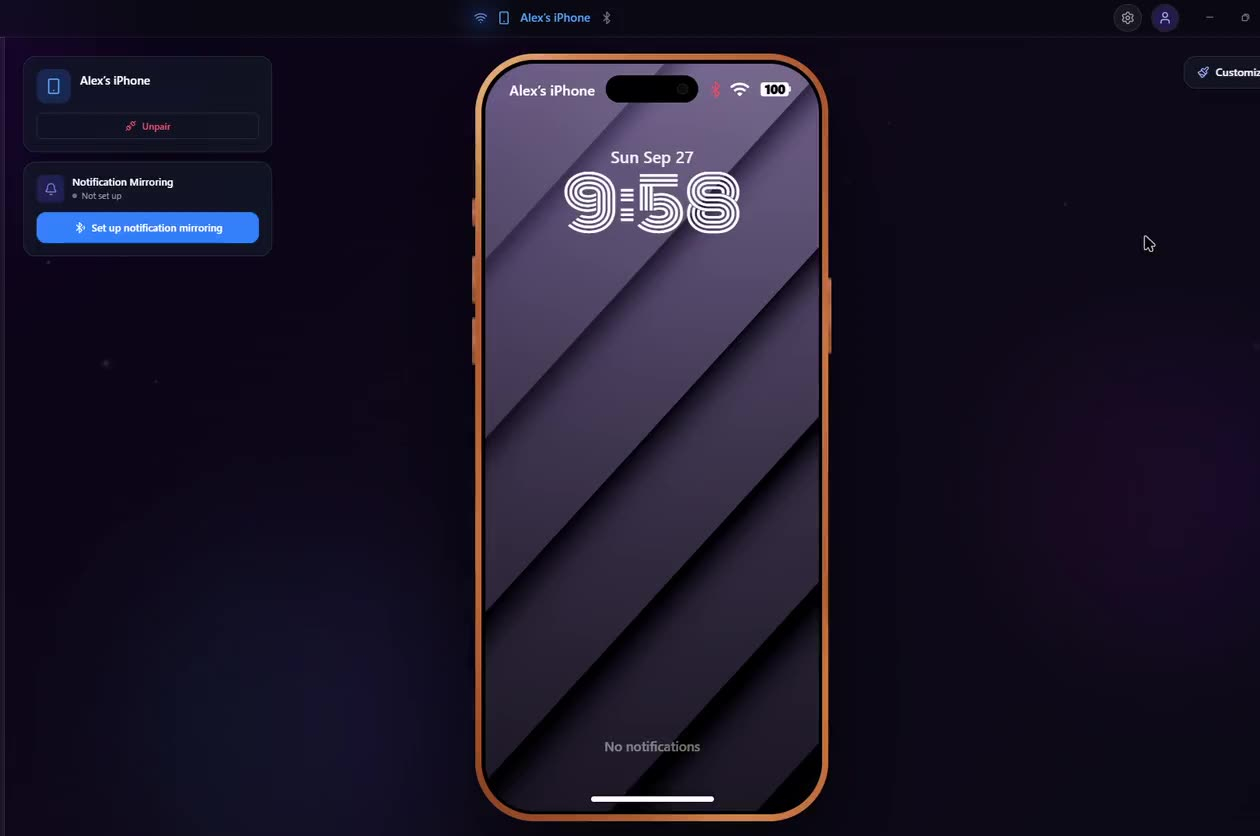
I originally wanted mirrored notifications to live inside a fully interactive 3D iPhone. It looked great, but even my own PC struggled to run it without lag. BridgeSync is supposed to work for everyone, not just people with powerful hardware, so I scrapped the idea. I replaced it with the 2D iPhone showcase instead, then spent months building its lock screen, notifications and customization options. New wallpapers are still being made today by the 3D artist working with me.
July 2026
Screen mirroring, finally
Screen mirroring was another idea I nearly gave up on. I scrapped it about three different times because I could not get it working the way I wanted. Eventually I decided I needed to stop putting it off and actually solve it. After a lot of work, the iPhone screen could finally be mirrored live on the PC, with audio and changing quality settings.
August 2026
Encryption
Once the main features were in place, I spent more time making sure the connection itself was properly protected. I researched how the key exchange works and built encryption directly into the communication between the iPhone and PC. Files and other data stay protected while they move between your own devices.
Awaiting App Review
Ready to launch
BridgeSync is ready to ship. The iPhone app is currently in App Review, and the public launch will follow as soon as Apple approves it.
FAQ
Fair questions.
Is BridgeSync free?
Both apps are free to download, and file transfer is free every day: 2 files a day, up to 5 MB each. Pro removes those limits and unlocks everything else: the shared clipboard, screen mirroring, notification mirroring, and PC remote control along status notifications. There is one Pro tier and nothing above it.
Why does it need a desktop app with a helper?
BridgeSync is two halves: the app on your iPhone and a small companion on your Windows PC. The desktop side installs a small background helper that carries out what you tap on your phone, like shutting down, locking, or pausing the music, and lets your phone know when the PC sleeps, locks, or shuts down. It is required, not bloat, and plenty of apps you already trust do the same; Discord installs a background helper too. It only ever acts for your own account and your own paired devices.
My antivirus flagged the installer. Is it a virus?
No. A code-signing certificate costs hundreds of dollars a year, and as a solo developer I have not bought one yet, so Windows and some antivirus tools show the generic "unknown publisher" warning they show for any unsigned app; Vencord, for example, is unsigned and trips the exact same warning. If your antivirus quarantines the helper, restore it and add BridgeSync to its exceptions. If that feels sketchy to you, that is completely fair; wait until the app is signed before you install it. I would rather you stay cautious than uneasy.
Why not just use iCloud for Windows?
Because it syncs a subset of Apple's own apps through Apple's servers, you pay for storage once you outgrow the free 5 GB, and it does nothing about your clipboard, your screen, your notifications, or your PC.
Why not just email or message myself?
You can. You have been. That is the point. It costs you a few seconds and a little dignity every single time, and it mangles your files on the way.
Why not a cloud transfer service?
Because your file does not need to fly to a data center and back to travel two meters. Even the fast ones send it through their own servers, so it moves at the speed of their servers and your upload, and it sits on someone else's machine along the way. BridgeSync keeps it on your own network; the file goes straight from one device to the other, with nothing in the middle to throttle it.
Why not AirDrop?
AirDrop does not exist on Windows. That is one reason this app exists.
Is my data safe?
Your files, clipboard, and remote controls are end-to-end encrypted and travel straight between your devices on your own network; they never pass through a server. BridgeSync only keeps what it needs to run your account, like your paired devices and your transfer history (file names and sizes, never the files), and you can delete all of it in one go.
Does BridgeSync work when I am away from home?
Yes. Share your iPhone's Personal Hotspot with your PC and every feature works at full speed, wherever you are: on campus, in a packed lecture hall, at a café or on the train. No shared Wi-Fi, no MacBook, no worries. Notifications sync over Bluetooth, so you can receive them on your PC even when you're away from Wi-Fi, as long as your iPhone is nearby.
Can I use my iPhone's Personal Hotspot?
Yes. Turn on Personal Hotspot, connect your PC to it, and set the hotspot to a Private network in Windows once, because Windows marks new hotspots as public. Watch the quick how-to.
Does BridgeSync use my mobile data on a hotspot?
Virtually none. Everything travels straight between your iPhone and your PC, end-to-end encrypted, without going through a server or your carrier. A 5 GB HDR video sent from the iPhone share sheet while on cellular used 0 KB. The only data the app uses is a tiny account check when you open it, around 170 KB.
How do I cancel Pro?
Pro on iPhone is billed by Apple, so you cancel it like any App Store subscription: Settings, your name, Subscriptions, BridgeSync, Cancel. You keep Pro until the end of the period you already paid for.
Can I delete my account and everything on it?
Yes, right from the app, and it is immediate and total: your account, your devices, your settings and your history are gone for good, with no recovery window. Deleting your account does not cancel an App Store subscription, so cancel Pro in your iPhone settings first.
Is BridgeSync vibecoded?
Hell no. I did use AI tools during development, mainly to research unfamiliar topics, work through problems, and fill gaps in my knowledge. When you're building an entire product on your own, from development to legal work and marketing, using tools that help you work more efficiently just makes sense. But BridgeSync took over a year of my free time to build, polish, and expand beyond the original idea. I originally started building it for myself, because I needed a better way to connect my iPhone and Windows PC. The first AI-generated prototypes were two separate apps that couldn't even communicate with each other. I threw them away and started over with a completely new project. BridgeSync became the product I originally wanted it to be because of the work that followed, not because I generated two prototypes.
Get on the list.
I will email you the moment the Windows app and iOS companion are live.
Founding User
Join before launch and you are in for good: first access, a permanent Founding User badge in the app, unlimited daily transfers for life, and a direct hand in what ships next.